Early access · Android

See how you are.Find the patterns.

Bivela is a Persian self-care app for living with bipolar disorder: a daily mood and sleep log, cognitive-behavioural exercises, companion programs for insomnia, anxiety, OCD and ADHD, and a safety plan for the hard moment.

Your data is encrypted before it leaves your phone, and our server cannot read it.

Early-access build · Android 8+ · Persian and English

Bivela's check-in screen: a mood spectrum you choose from by dragging your finger

Several of your warning signs at onceTwo nights of shorter sleep than usual and more energy — days before the peak, while mood was still in the usual range.

A quick daily log

Mood, energy, anxiety, irritability, sleep, triggers and supports — on the Persian (Jalali) calendar.

See the patterns

Trend charts, averages, how sleep and mood move together and which triggers weigh most — something you can show in a therapy session.

With you in a hard moment

A personal safety plan, a crisis screen with the numbers 123 and 1480 and a 4-7-8 breathing exercise — deliberately plain, with nothing to distract.

My warning signs

Compared with your own usual, not with anyone else.

Most people have their own signs before an episode. Choose the changes you noticed before past episodes — ideally with your doctor or therapist — and Bivela checks your daily entries against them.

A fictional example
SignUsuallyThese days
Sleeping less7 hours5.3 hours
More irritable2 of 105 of 10

When several signs come back together, your safety plan and your therapist's number come up on the home screen. It tells no one by itself; whether to call is up to you.

This is only a reminder to look at your own plan, not a diagnosis.
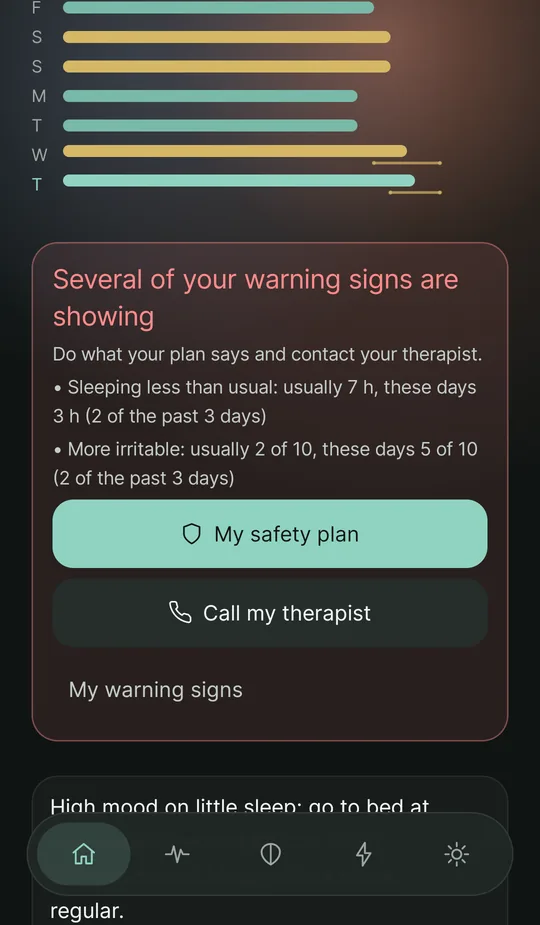
The home screen with the last seven days and the card “Several of your warning signs are showing”, with buttons for the safety plan and calling the therapist
New in October 2026

A caregiver in Telegram, a bipolar-minded next step and real sleep insights

Someone close to you can get the reports you choose in Telegram; “Next step” reads your day the way bipolar care does; and sleep insights show how sleep and your mood go together, from your own numbers.

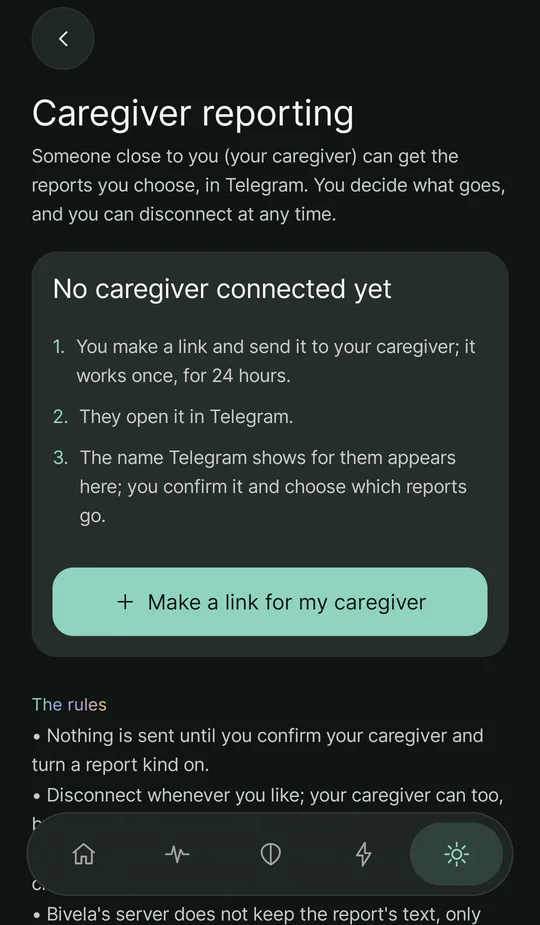
The caregiver reporting screen: “No caregiver connected yet”, three steps — make a link and send it, your caregiver opens it in Telegram, you confirm their name — and a button “Make a link for my caregiver”

Caregiver reporting

Send your caregiver a one-time link, confirm their name and turn on each kind of report by itself — with an exact preview. You or they can end it at any time.
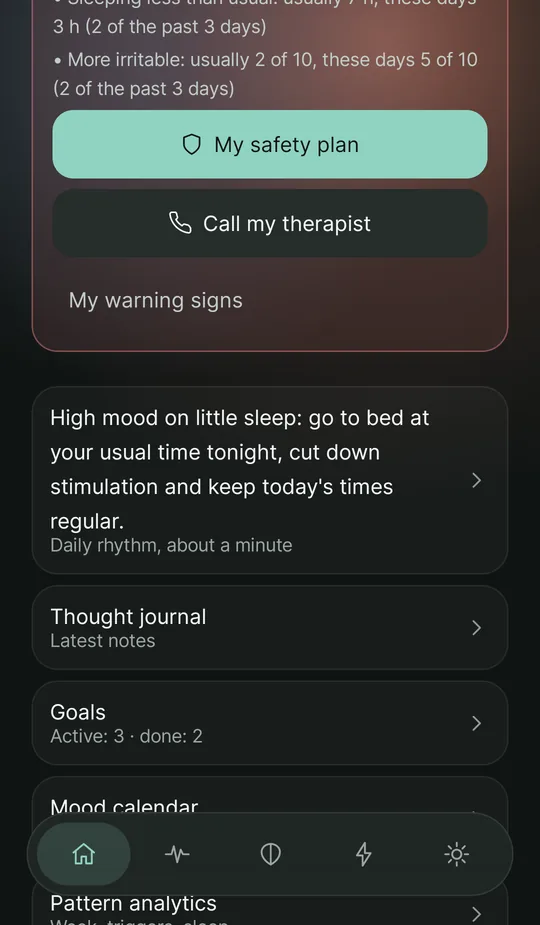
The home screen: the card “Several of your warning signs are showing” and below it the next step: a high mood on little sleep — go to bed at your usual time tonight, cut down stimulation and keep today's times regular — linking to the daily rhythm

A next step in bipolar terms

A high mood on little sleep, several low days in a row, or strong anxiety: each has its own suggestion and screen, not a general message.
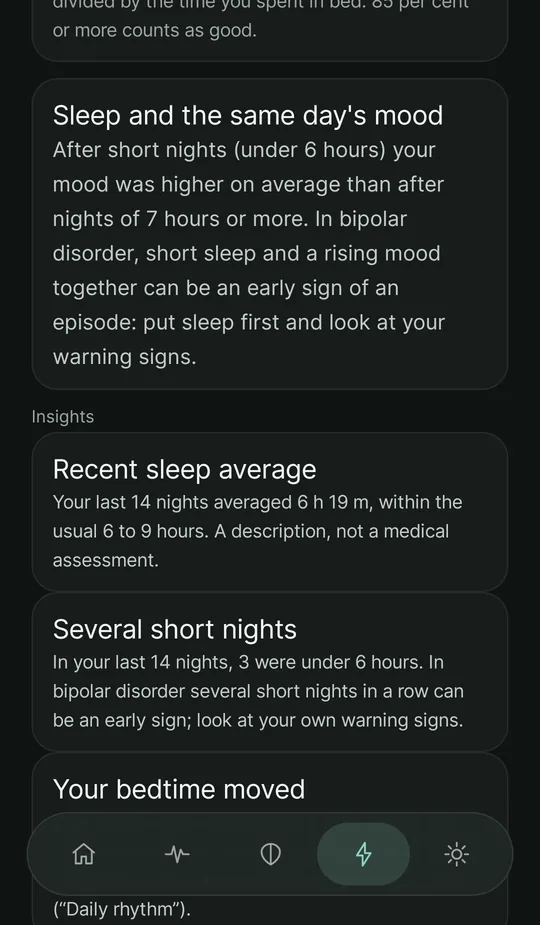
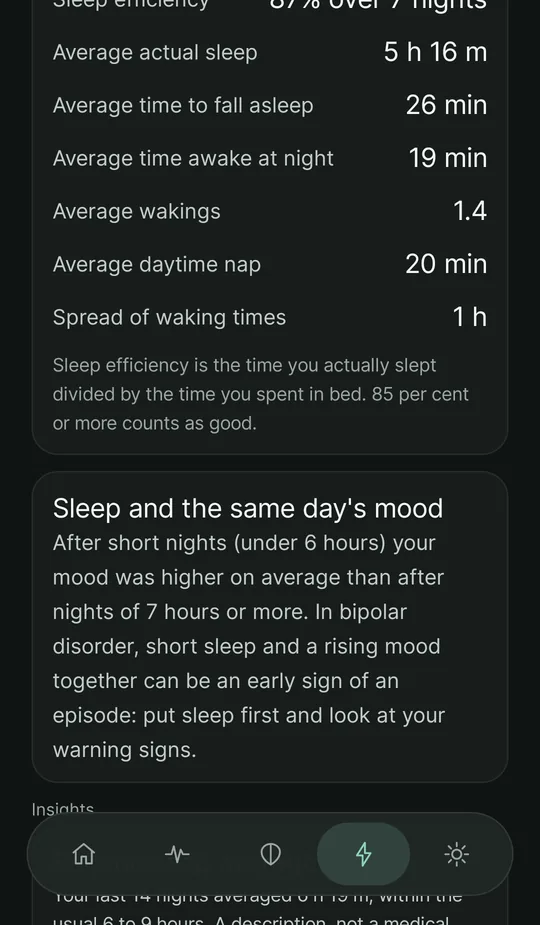
The sleep insights screen: the card “Sleep and the same day's mood” saying mood was higher after short nights and that in bipolar disorder this can be an early sign, with insights on the last 14 nights' average and several short nights

Sleep and the same day's mood

Your last 14 nights: short nights, a bedtime that moves, and whether your mood was higher or lower after short nights.

A look inside

Everything in a few calm screens

Bivela is not busy. Each screen does one thing well.
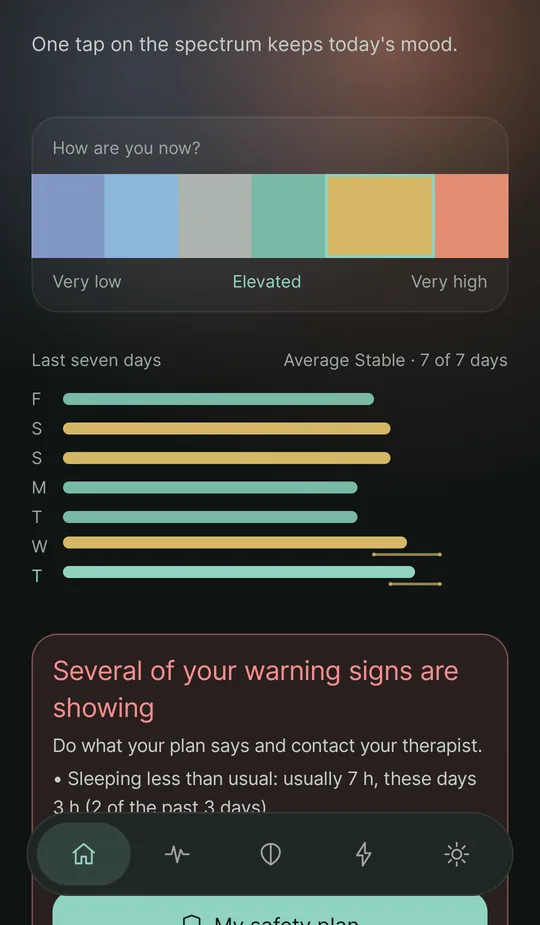
The home screen: the spectrum “How are you now?” and “Last seven days” — seven real calendar days with each day's letter, the week's average, and a line for the highs and lows of days with several check-ins
Last seven daysOne row a day, a real average
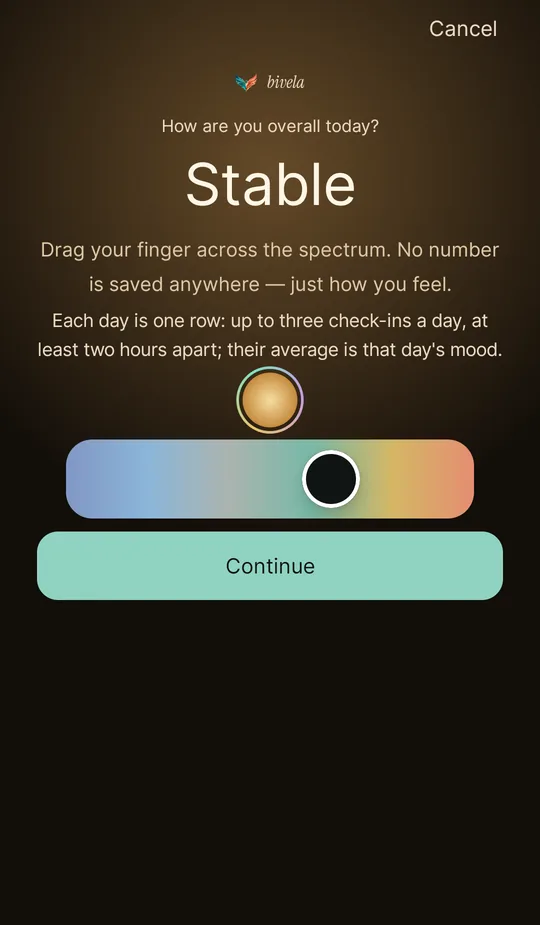
The check-in screen: a mood spectrum you choose from by dragging your finger
Check-inPick your mood on a spectrum
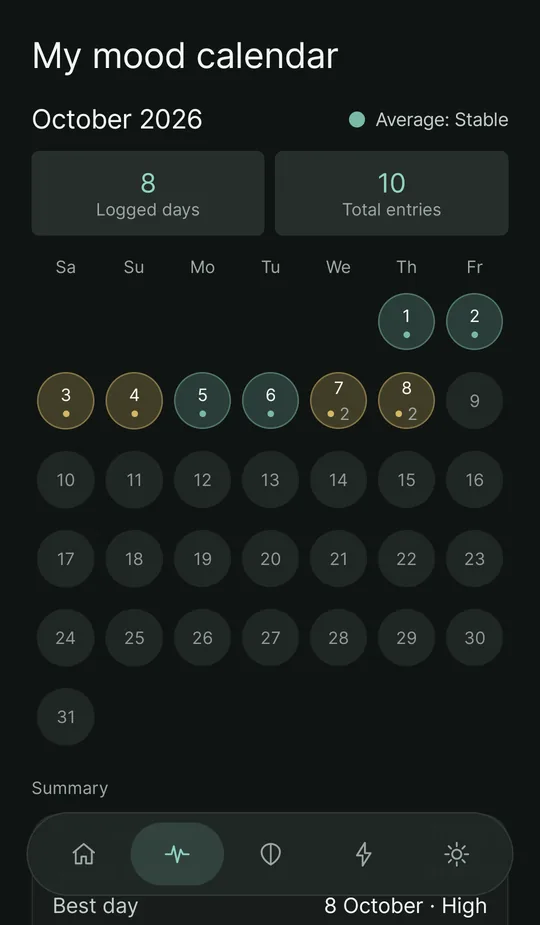
The mood calendar: the month with each day in its average's colour, the days logged and all check-ins, and a number by days with more than one check-in
Mood calendarThe month, day by day
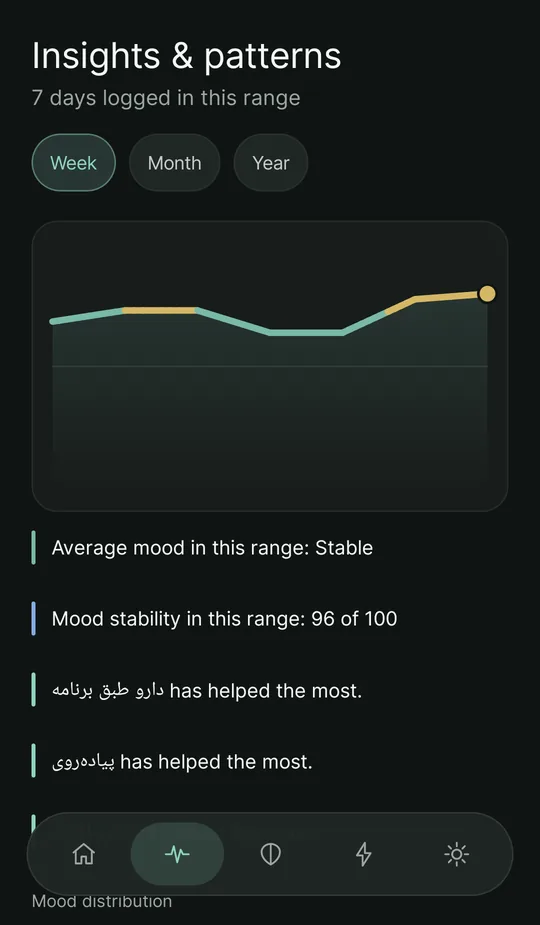
Insights and patterns: a mood trend chart and the most frequent triggers
Insights & patternsTrend, average and stability
Sleep insights: the sleep diary for the last seven days — sleep efficiency over 7 nights, average actual sleep, time to fall asleep, night-time waking, daytime naps and the spread of waking times
Sleep insightsSleep efficiency from the full diary
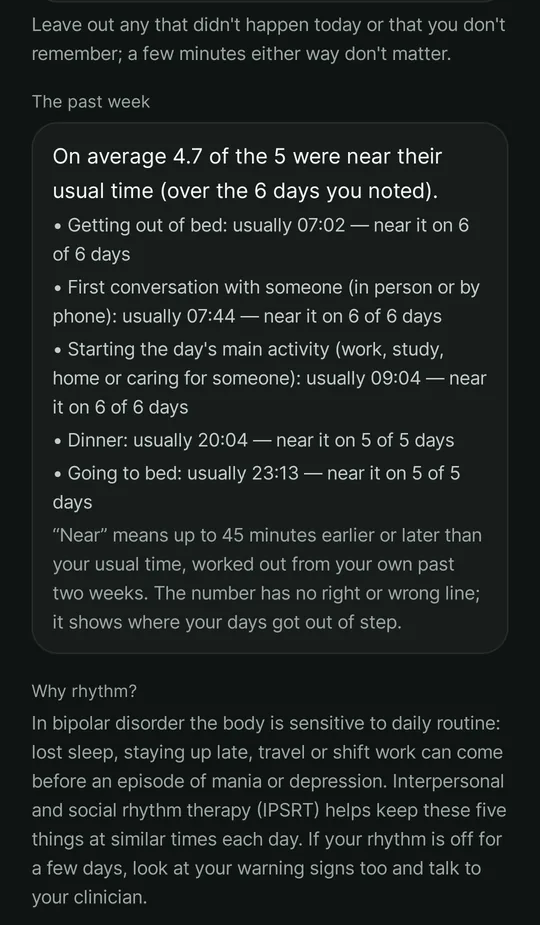
The daily rhythm screen: five fixed things of the day — getting up, the first conversation, the day's main activity, dinner and going to bed — and for the past week, each one's usual time and on how many days it was near it
Daily rhythmFive fixed points of the day
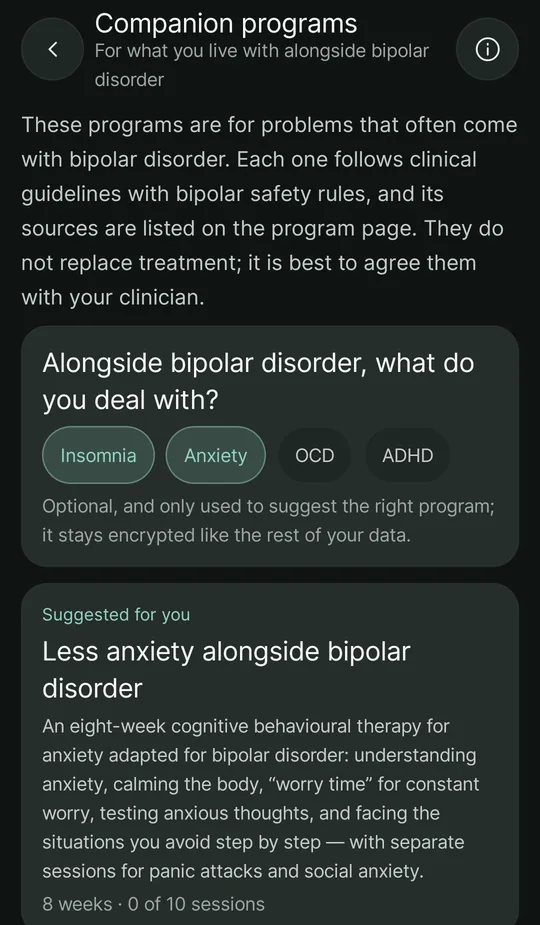
The companion programs screen: choosing what comes alongside bipolar disorder (insomnia and anxiety chosen) and the suggested card of the program “Less anxiety alongside bipolar disorder”
Companion programsFor what comes alongside bipolar disorder
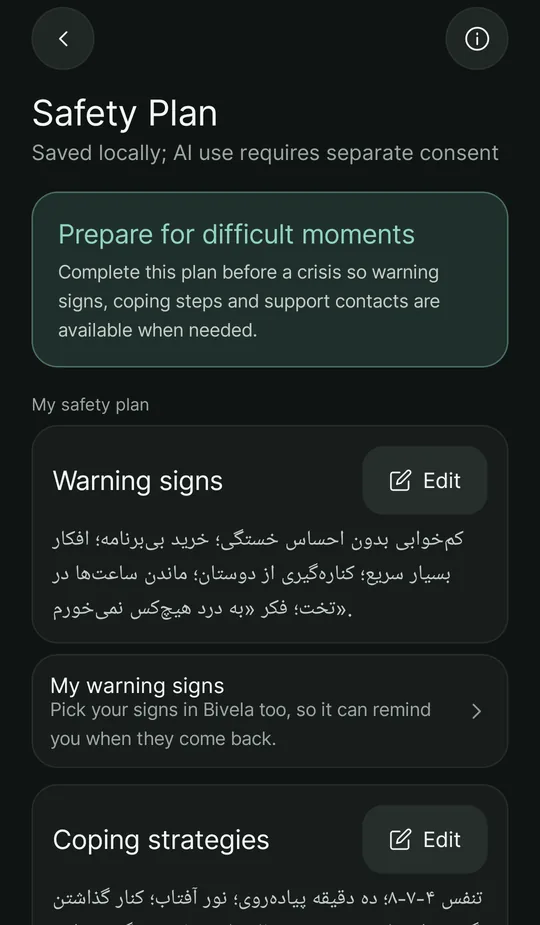
The personal safety plan screen
Safety planWritten in advance, for the hard moment
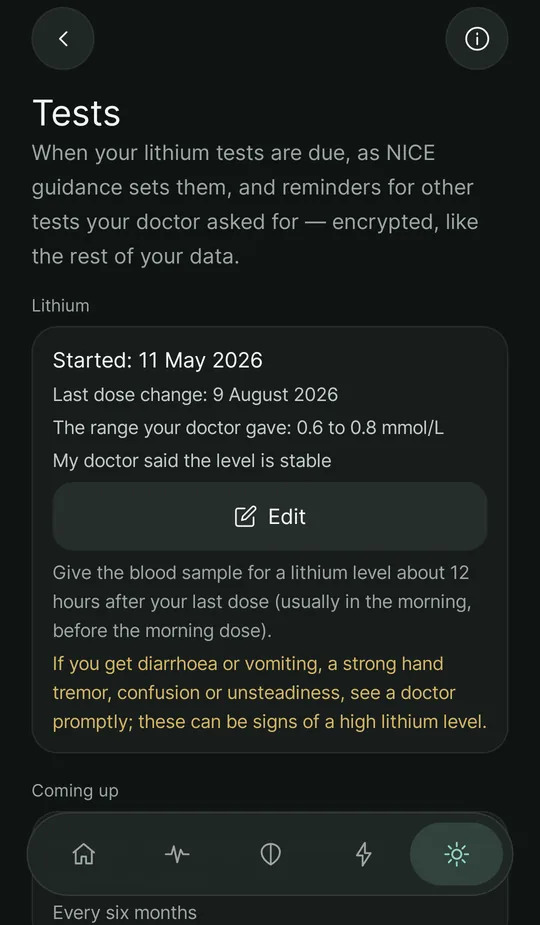
The tests screen: a lithium course with its start date, the range the doctor gave, advice on the blood sample and the signs of a high lithium level
TestsLithium test dates and reminders
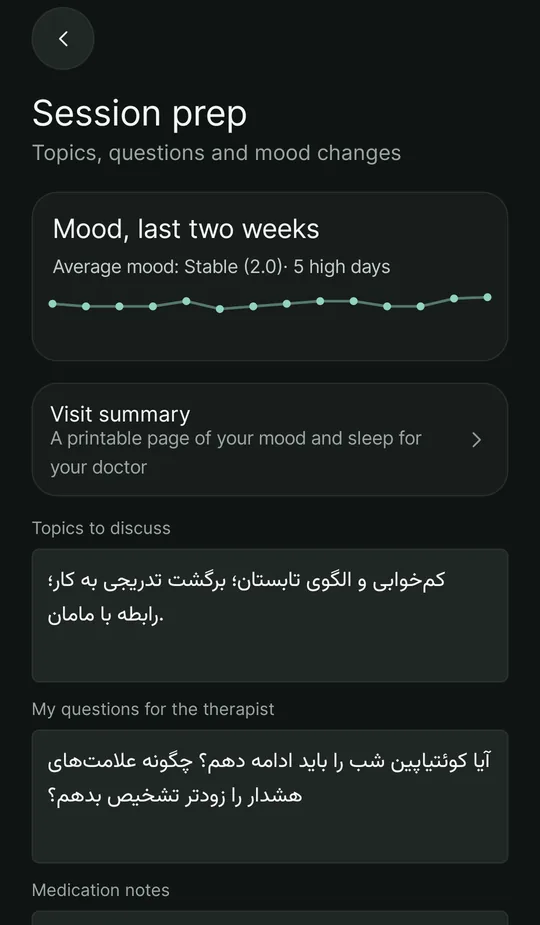
The session prep screen: the last two weeks' mood with the average, high and low days and a daily chart, and room for topics and questions for the therapist
Session prepTwo weeks at a glance
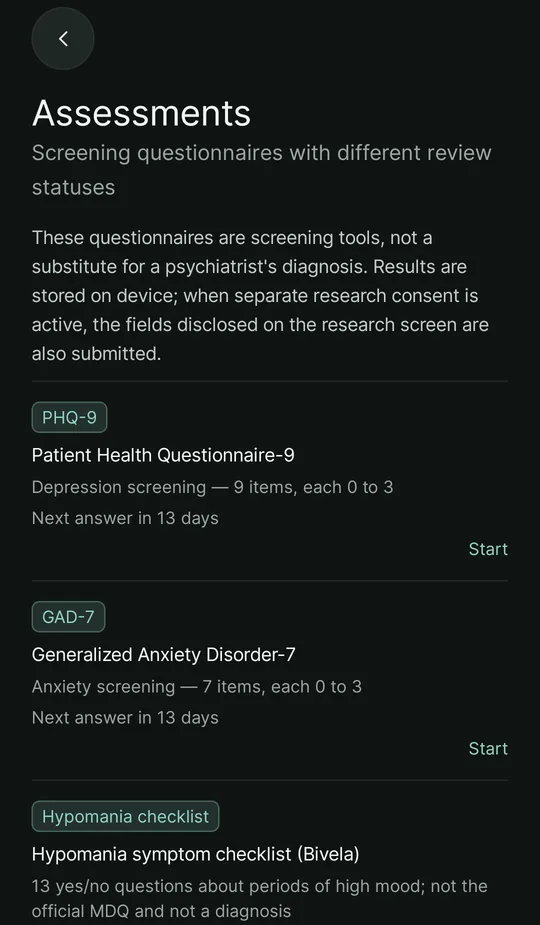
The list of screening questionnaires
QuestionnairesRaw score and trend over time
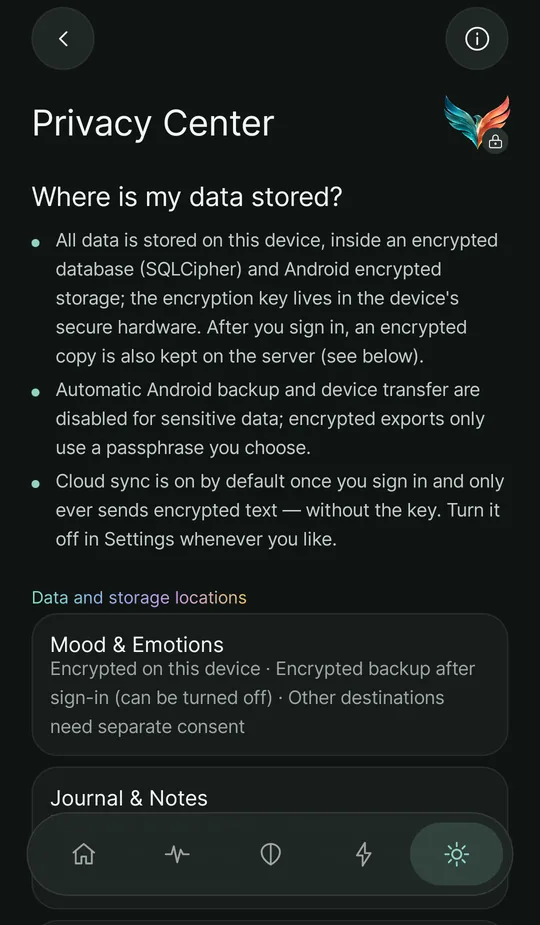
The privacy center
Privacy centerConsent, category by category

Screens are from the app, filled with sample data of a fictional user who writes in Persian.

Privacy

We lock your data before it leaves your phone.

Privacy, in plain words
  1. 1 · On your phone

    The encryption key is made from your password, on your phone, and never reaches the server.

  2. 2 · On our server

    The backup on the server is encrypted — we cannot read your journal, your entries or your notes.

  3. 3 · Anywhere else

    Off by default; it turns on only when you explicitly choose it.

    • AI companionOff
    • ResearchOff
    • Caregiver reportOff
    • Sharing with my doctorOff
One exception

Anyone who has the account password — for example a center that created accounts for its patients — can open the data. We say so plainly.

Tools

Everything a daily routine of care needs

All the details

Mood log and Jalali calendar

A mood spectrum, energy, anxiety, irritability, triggers and supports, with a trend chart.

Sleep and habits

A sleep log and a full diary with sleep efficiency, insights on your last 14 nights and how sleep goes with the same day's mood, and goals, routines and habits.

Medication & reminders

A medication list, reminders and dose tracking. Notifications carry no health details.

Tests and lithium

When lithium, kidney, thyroid and weight tests are due under NICE guidance, results, and a reminder on test days.

My warning signs

Your daily entries compared with your own usual; when several signs come back together, your safety plan comes up.

CBT and thought records

Thought records, a library of cognitive distortions, a 4-week journey and a bipolar toolkit.

Companion programs

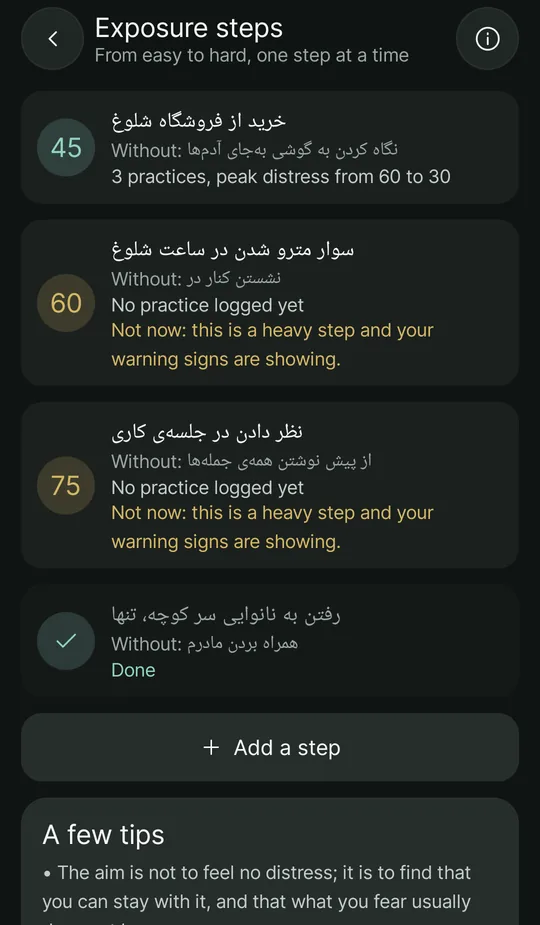
Step-by-step programs for insomnia, anxiety, OCD and ADHD alongside bipolar disorder, with exposure steps.

Screening questionnaires

PHQ-9, GAD-7, BDI-II, BAI, RRS and DERS, plus two mania symptom checklists, with a raw score and a trend.

Safety plan and crisis support

Warning signs, coping strategies, reasons to stay and professional contacts — written in advance.

AI companion (optional)

A conversation in Persian that, with your permission, knows your data. It does not diagnose and is not a therapist.

Sessions and visits

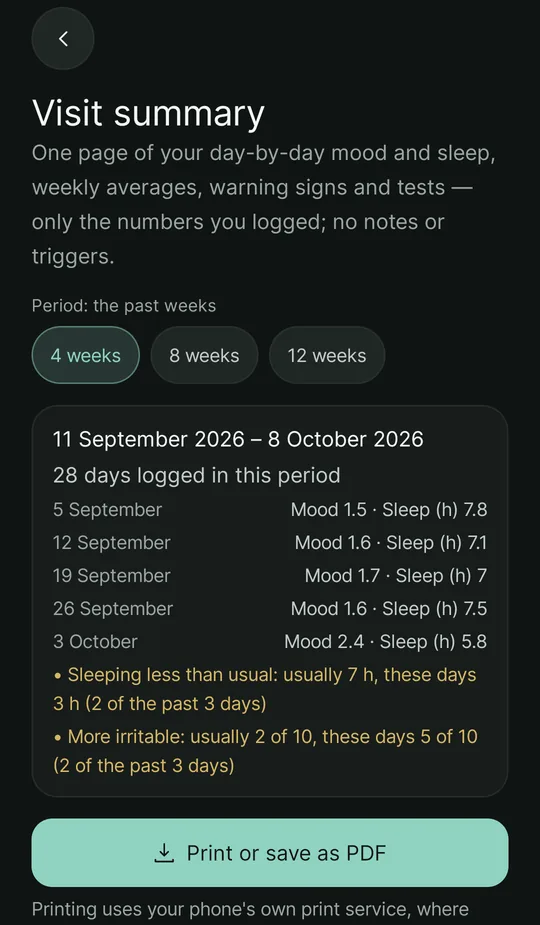
Write your topics and questions beforehand and see the last two weeks' mood; for your doctor, a printable page or PDF of 4, 8 or 12 weeks of mood and sleep, warning signs and tests.

Caregiver reporting

Someone close to you gets the reports you choose in Telegram: you connect them with a one-time link, confirm their name and disconnect whenever you like.

For clinicians

Real data between sessions

Instead of “it was a bad week”, a patient can show the pattern of their weeks: mood, sleep, medication and questionnaires. Clinicians get a separate workspace — assessments before and after treatment, answering on the patient's own phone and a printable report — and treatment centers an admin panel, with two-step sign-in and every access logged.
Questionnaires: 8 in the app, 20 for doctors

In the app, the patient answers
  • PHQ-9
  • GAD-7
  • BDI-II
  • BAI
  • RRS
  • DERS
  • Hypomania checklist
  • Mania self-rating
  • PHQ-2
  • GAD-2
  • DASS-21
  • ASRM
  • Suicide-risk screen
  • Psychosis (BPRS)
  • CGI-S
  • CGI-I
  • HAM-D-17
  • YMRS
  • PANSS
  • FAST
  • MDQ
  • PSS-10
  • ISI
  • WHO-5
  • AUDIT
  • WHOQOL-BREF
The visit summary screen: a choice of 4, 8 or 12 weeks, weekly mood and sleep averages, warning signs and a print or PDF button
Honestly

Where are we now?

What it is

  • An early-access build for Android 8 and up.
  • Not on Google Play or Cafe Bazaar yet, and no public download; to get it, message support on Telegram.
  • A trial with a treatment center has started.

What it is not yet

  • Not a diagnostic or treatment tool, and not a replacement for a clinician or emergency services.
  • Questionnaire scores are not clinically validated yet.
  • The iPhone version is built and in testing, but has no public install yet.

Does it cost anything?

Nothing is charged for now. The business model is not final yet; when it is, we will announce it here.

All questions
The logo

One bird, many looks

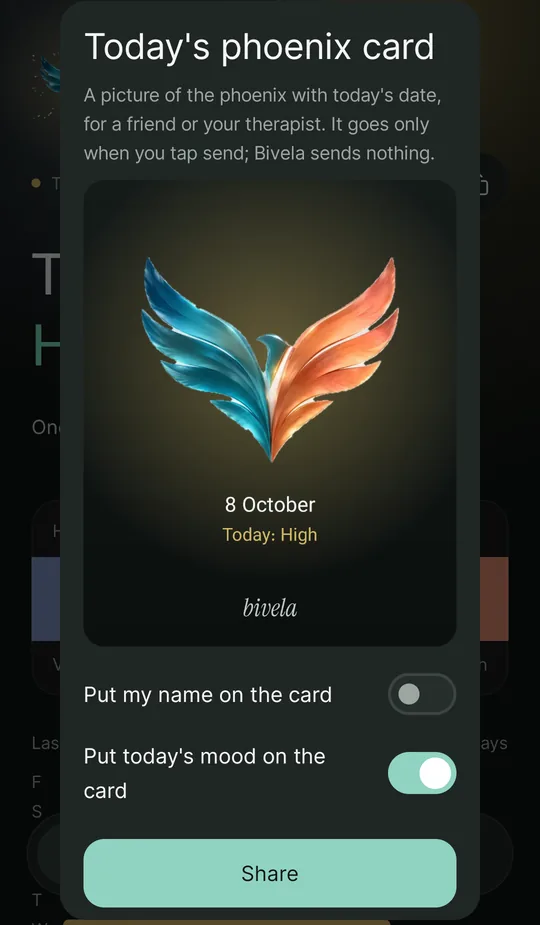
Each time you open the site you see other looks of the Bivela mark. In the app you choose your icon from eight of them.


All the looks
  • Main
  • Light
  • Gradient
  • Outline
  • Loading
  • White

Want to try it?

Early access for Android 8 and up. It starts with a message to support on Telegram.

Get the app